A Black Computer Desk can give an office a calm, defined look without demanding attention. In a small room, its dark surface can anchor a monitor, keyboard, and desk lamp. Against a pale wall, the contrast feels deliberate. Against dark walls, it may make the space feel heavier.
Design researcher and usability expert Don Norman wrote, “Good design is actually a lot harder to notice than poor design, in part because good designs fit our needs so well that the design is invisible.” That idea applies here: color matters, but daily comfort and function matter more. A stylish desk that crowds your legs or places the screen too high is still a poor fit.
Look closely. Check the desktop dimensions, legroom, and cable openings before choosing a model. Match the desk height to your chair, and consider whether its finish suits your lighting. Matte surfaces may show dust differently from glossy ones; dark finishes can also reveal fingerprints under bright lamps. Materials and construction vary, so check product specifications rather than relying on appearance alone.
A black desk can feel polished and practical, but it is not automatically right for every office. I would also ask whether the room has enough natural light. That detail is easy to overlook. The sections ahead consider style, workspace fit, materials, and everyday maintenance, helping readers make a more informed choice.
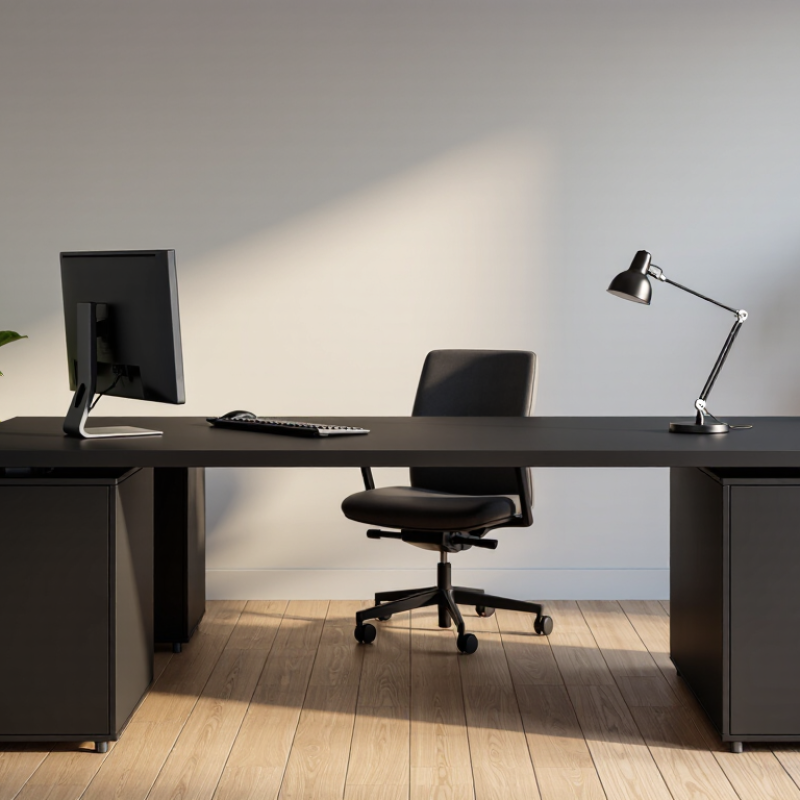
A black computer desk is defined by its finish, not its material. It may use powder-coated steel, painted wood, laminate, or engineered panels. The dark surface creates visual weight and hides some cable shadows. However, dust and fingerprints can appear clearly under direct window light. In practical office testing, edge comfort matters as much as color. A sharp front edge can press against wrists during long typing sessions. Often overlooked.
A rectangular writing desk offers a clean setup for a monitor, keyboard, and notebook. It suits smaller rooms and flexible work habits. An L-shaped black desk uses a corner efficiently and separates computer work from paperwork. It needs careful measuring, especially near doors and drawers. A standing desk allows height changes between seated and upright work. Its frame should feel stable at full height, because screen movement becomes distracting. Storage desks add drawers, shelves, or a raised monitor section. They keep supplies close, but can make legroom feel restricted.
For a reliable choice, check load capacity, surface depth, cable openings, and adjustable feet. Measure twice. Matte surfaces reduce glare, while glossy coatings reflect lamps and windows. Black finishes are not equally durable. I once valued appearance over cable access, and daily unplugging became irritating. That mistake changed my checklist. A desk should support real working habits, not only look impressive in a room.
A black computer desk gives an office a clear visual anchor. In a pale room, its dark outline stands out against white walls, light flooring, and soft curtains. The contrast can make a workspace feel deliberate without adding more decoration. It feels grounded.
Finish matters
A matte surface tends to look quiet and modern, while a glossy top reflects lamps and windows. Those reflections may brighten a dim corner, but they can also create glare on a monitor. In everyday use, dust and fingerprints often show more clearly on smooth black surfaces, especially near the keyboard. A quick wipe helps, though it becomes part of the routine.
It is tempting to call black universally versatile, but that is too simple. In a small room with dark walls, a black desk may visually blend in and make the space feel heavier. A lighter chair, a warm wood shelf, or a small desk lamp can restore contrast. Cable color and monitor stands matter too; mismatched details are easier to notice against a dark surface. The desk can sharpen an office’s appearance, but the surrounding light and textures decide whether it feels polished or severe.
A black computer desk can make an office feel visually settled without demanding much attention. Its dark surface pairs easily with pale walls, wood shelves, and common office equipment. That flexibility helps when a room changes over time. A monitor, keyboard, and notebook also tend to look distinct against a matte black finish, making the work area feel organized.
Daily use matters more than appearance. A sturdy desk with enough depth can keep a monitor at a comfortable viewing distance and leave space for a mouse, documents, or a small lamp. Check the dimensions before buying; a desk that looks spacious in a photo may feel cramped beside a chair or cabinet. Cable openings and a stable frame are useful details, not glamorous ones.
The finish deserves a closer look. Matte surfaces can reduce glare from overhead lights, while glossy ones may reflect windows and show fingerprints. Dust can stand out, too. A quick wipe usually helps, but black is not automatically easier to maintain. I would compare the surface texture in person if possible. Color sets the tone; it cannot fix poor legroom or a wobbly frame.
Material choice affects how a black desk feels and ages. A powder-coated steel frame usually resists everyday scuffs and keeps the desk steady, while a wood or engineered-wood top can feel warmer under your hands. Check the edge finish and leg joints, not just the surface. Small details matter. A thin top may flex under a heavy monitor, and a glossy coating can reveal fingerprints more easily than a matte one. Black looks neat, but it does not hide dust.
Durability also depends on how the desk is used. For a computer setup, look for a top that supports your monitor, keyboard, and other equipment without wobbling. A smooth, sealed surface is easier to wipe after coffee spills, though standing water can still damage some wood-based materials. Follow the care instructions for the specific finish. That part is easy to overlook.
Workspace features should fit your actual routine. Cable openings can keep cords from sliding behind the desk, while a modest drawer can hold chargers and notebooks. Measure the available floor space before choosing a wide model, and leave enough room for your chair to move. A black desk may visually anchor a bright room, but it can also make a small corner feel heavier. Consider natural light, wall color, and legroom together; the best-looking choice is not always the most comfortable one.
A black desk can look polished, but its dimensions and finish matter more than its color. Measure your room, chair height, and equipment before choosing a model. Leave enough space for your knees and a clear path around the desk. OSHA’s Computer Workstations guidance places a monitor about 20–40 inches from the user, so check that the desktop can hold your screen at a comfortable viewing distance. Measure twice.
For daily computer work, consider an adjustable-height desk or a fixed surface that lets your elbows rest near desk height. Check the load rating against your monitor, laptop, and other equipment; a crowded desktop can feel unstable. A matte black finish usually shows fewer reflections than a glossy one, though dust and pale scratches may stand out. Look for a smooth edge, sturdy legs, and a cable opening near the devices you use most. ANSI/BIFMA’s desk-product testing standards address factors such as stability and durability, useful benchmarks when comparing construction. Still, a certified desk may not fit your room or work habits. Test the height and reach if you can, and leave a little extra space for the work that tends to accumulate.
| Desk Type | Typical Size (W × D) | Common Construction | Why Choose a Black Finish? | Best Suited For | Check Before Buying |
|---|---|---|---|---|---|
| Compact straight desk | About 100–120 × 50–60 cm | Engineered-wood or solid-wood top; metal or wood legs | Creates a coordinated look with dark monitors and accessories; small marks may be less noticeable on some textured finishes. | Small home offices, bedrooms, and laptop-based work | Confirm that the depth leaves enough room for the monitor, keyboard, and comfortable screen placement. |
| Standard straight desk | About 120–160 × 60–80 cm | Laminate, veneer, or solid-wood top with a fixed-height frame | Pairs easily with a range of neutral office colors and can give a workspace a consistent, understated appearance. | Everyday computer work with one or two monitors | Check legroom, cable openings, edge finish, and whether the desktop is large enough for planned equipment. |
| L-shaped desk | About 140–180 cm per side; depth commonly 60–80 cm | Two connected desktop sections supported by a fixed frame or pedestal | A dark finish can visually unify a larger work surface and coordinate separate work zones. | Corner offices, multitasking, and setups with several devices | Measure both wall runs and check whether the return can be installed on the required side. |
| Height-adjustable desk | Desktop commonly about 120–160 × 60–80 cm; height range varies by model | Motorized or manual lifting frame with a laminate, wood, or composite top | Black tops are widely available and can keep a changing sit-stand setup visually coordinated. | Users who want to alternate between sitting and standing | Verify the stated minimum and maximum height, lifting capacity, frame stability, and cable management. |
| Executive desk | Often about 150–180 × 70–90 cm | Wood, veneer, or engineered-wood construction; may include drawers or storage | Can create a formal, cohesive appearance, especially when matched with neutral furnishings. | Offices that need a broad work surface and integrated storage | Check assembled dimensions, drawer clearance, delivery access, and the care requirements of the surface. |
| Selection note: Dimensions are approximate examples, not universal standards. Actual sizes, materials, load limits, and height ranges vary by design. Choose a desk that fits the room, supports your equipment, and allows a comfortable working posture. | |||||
A powder-coated steel frame resists everyday scuffs and keeps the desk steady. A wood or engineered-wood top feels warmer under your hands. Check the edge finish and leg joints carefully.
Not always. Matte black usually shows fewer reflections, but dust and pale scratches can remain visible. Glossy surfaces often reveal fingerprints quickly.
Check the load rating against your monitor, laptop, keyboard, and accessories. A thin desktop may flex under a heavy monitor. A crowded surface can feel unstable.
Measure the room, chair height, equipment, and walking path. Leave enough knee space and room for the chair to move. Measure twice.
Keep the monitor about 20–40 inches from your eyes. Confirm the desktop can hold the screen at that distance. Your neck and viewing comfort matter more than appearance.
Yes. They help keep cords from sliding behind the desk. Place the opening near your monitor, laptop, or power accessories. Small details help.
It can help your elbows rest near desk height during computer work. A fixed desk may work well if its height matches your chair and posture. Test the reach when possible.
Wipe coffee spills from a smooth, sealed surface soon after they happen. Avoid leaving standing water on wood-based materials. Follow the finish-specific care instructions.
It can visually anchor a bright room, but may make a small corner feel heavier. Consider natural light, wall color, and legroom together. The best-looking choice may not feel comfortable.
A Black Computer Desk is more than a place to set a monitor: it can serve as a practical anchor for an office. Available in styles ranging from compact writing desks to larger workstation designs, a black desk suits many room layouts and décor choices. Its dark finish can create a clean, polished appearance, add visual contrast, and help a workspace feel coordinated without drawing attention away from the rest of the room.
Choosing a desk also involves practical considerations. Black surfaces can make everyday marks less noticeable, while a sturdy construction and well-finished materials support regular use. Features such as drawers, shelves, cable openings, and adjustable height can improve comfort and organization. To find the right option, consider the available floor space, the equipment you use, your storage needs, preferred material, and how the desk will fit your work habits and office style.
Union Home