How to Choose the Best Computer Table for Your Office?

Time:2026-10-11 Author:Henry
0%

Choosing the right Computer Table can shape how comfortably and efficiently an office works each day. It supports the monitor, keyboard, documents, and the small routines that often decide whether work feels organized or exhausting. A table may look attractive in a showroom, yet feel cramped after two monitors, a desk lamp, and a coffee mug arrive.

Alan Hedge, an ergonomics researcher and professor emeritus at Cornell University, often emphasized a practical principle: “The best posture is the next posture.” That idea matters when selecting a Computer Table. A suitable design should leave enough depth for the monitor to sit about an arm’s length away. Your elbows should rest near a 90-degree angle, while your feet remain flat on the floor. Small details count.

Measure the room first. Check the chair clearance, cable openings, drawer movement, and available wall space. A 120-centimeter table may fit a laptop well, but it can become crowded with a second screen. A wider surface is not automatically better. I once assumed more space solved every problem, but an oversized table can force awkward reaching and reduce walking space.

This guide examines materials, dimensions, storage, stability, and ergonomic features. It also considers budget and long-term durability. Appearance matters, but it should not hide sharp edges, weak joints, or poor cable management. The best Computer Table is not simply the largest or most expensive option. It is the one that quietly supports your actual workday, even when that workday changes.
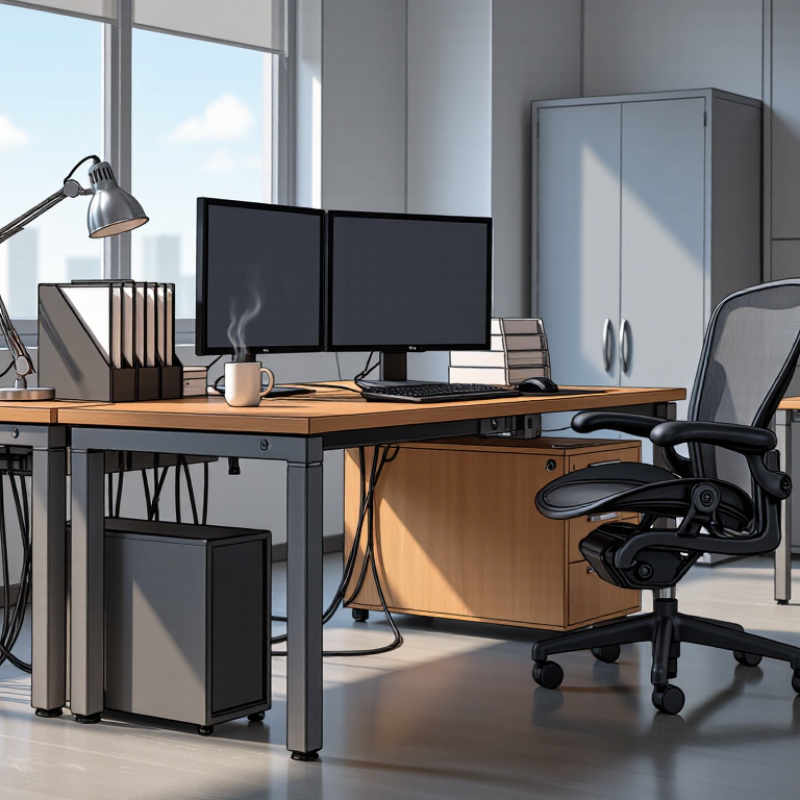
How to Choose the Best Computer Table for Your Office?

Define Your Office Needs and Available Workspace

Before choosing a computer table, define how your office actually works. Measure the room, doorway, and available wall space. Mark the floor with tape. This simple test shows whether the table leaves enough walking room.

Consider your daily equipment. A laptop needs less depth than a monitor, keyboard, speakers, and documents. Allow space for your elbows and a clear writing area. If you use two screens, measure their total width before shopping. Cable access also matters. A small opening at the rear can prevent tangled wires and awkward cleaning.

Think about movement, light, and storage. Place the screen away from direct window glare, but keep natural light nearby. Check whether drawers would block your knees. I once chose a table with attractive storage, then discovered the drawer hit my chair. That mistake changed how I measure furniture. I now sit in the intended position and test every opening. It takes only a few minutes. Do not trust appearance alone.

A stable table should resist shaking when you type. Adjustable feet help on uneven floors. If the room is shared, consider a surface that supports focused work without overwhelming the space. Your needs may change, too. Leave modest spare room for a notebook, lamp, or future equipment. A crowded workspace becomes tiring quickly. Steady planning beats a rushed purchase.

Compare Computer Table Sizes, Shapes, and Surface Layouts

Choosing the best computer table starts with accurate measurements, not appearance. Measure your monitor, keyboard, chair movement, and available wall space. A 120-centimeter-wide table suits one monitor and basic accessories. Larger screens need more depth, often 70 to 80 centimeters. This keeps your eyes comfortably away from the display. Check knee clearance too. A beautiful table becomes frustrating when your legs touch the frame. Small spaces need careful planning. Leave room for the chair to move back. Do not ignore this.

Rectangular tables offer a predictable, efficient surface for focused work. L-shaped tables create separate zones for a monitor, paperwork, and occasional equipment. They work well in corners, but their inner corner can become wasted space. Curved surfaces feel softer and may improve movement, yet they often reduce usable writing area. I once chose a curved table that looked spacious in a showroom. At home, my notebook kept slipping toward the edge. That mistake changed my buying checklist.

Surface layout matters as much as size. Keep the main monitor near the center, with frequently used items within easy reach. A monitor arm can free valuable desk space, but the tabletop must support its clamp. Place documents beside the keyboard, not behind it. Cable openings should sit near power sockets, while drawers should not block leg movement.

Test the table at sitting height if possible. Press the surface gently and check for shaking. I still prefer a slightly plain table with stable support over an attractive design that wastes every centimeter. Maybe practicality deserves more attention.

Evaluate Materials, Stability, and Weight Capacity

How to Choose the Best Computer Table for Your Office?

When choosing a computer table, examine its materials before admiring its appearance. Solid wood offers strength, but it can be heavy and may expand with humidity. Steel frames usually improve rigidity, especially for large monitors and adjustable arms. Engineered wood can work well when its edges are sealed and its panels are thick. Check the joints, not only the tabletop. Loose fittings become obvious after months of daily use. I once selected a table with an attractive surface but weak connectors. That judgment was wrong.

Tips: Test the table in person when possible. Press gently near each corner and watch for movement. Place your monitor, computer tower, speakers, and accessories on the surface. Add their approximate weights together. Then choose a table with a higher weight capacity than your total. Leave room for accidental pressure, such as leaning while writing. A capacity rating should include the desktop and storage sections, not just the main panel.

Stability also depends on floor contact. Adjustable feet can reduce rocking on uneven floors, while a wide base helps prevent tipping. A narrow, tall table may save space but feel unsafe during daily work. Check whether the back frame leaves enough legroom and supports cable weight. Weight capacity figures are useful, but they are not always tested under real office conditions. Ask how the rating was measured. Small details matter. My only hesitation is that heavier construction can make relocation difficult, so consider both permanence and practicality.

Check Ergonomic Features and Cable Management Options

How to Choose the Best Computer Table for Your Office?

A computer table should support your body, not force it into an awkward position. Check that your elbows rest near a 90-degree angle while typing. Your monitor should sit at eye level, about an arm’s length away. A height-adjustable surface helps different users work comfortably. It also supports sitting and standing during long workdays.

Cable management deserves equal attention. Look for rear channels, built-in grommets, and space beneath the tabletop. These features keep power cords away from your knees and reduce accidental pulls. Separate power cables from network and display cables when possible. This can reduce tangles and make troubleshooting easier. Leave a little slack near each connection.

I once chose a table with excellent legroom but ignored its narrow cable tray. The cords bulged through the back and collected dust. It looked careless, despite careful equipment placement. Measure your devices before buying. Include monitor stands, power adapters, and docking equipment. Test the table’s stability by gently pressing each corner. A slight wobble may become distracting after several hours. Small details matter more than glossy finishes.

How to Choose the Best Computer Table for Your Office?

Compare practical ergonomic and cable-management targets before selecting a computer table. The measurements below are useful screening guidelines for a seated office workstation.

Prioritize a desk height that supports a neutral elbow position, at least 60 cm of working depth, at least 120 cm of width, and approximately 60 cm of knee clearance. Cable grommets or cable trays help keep wires away from the work surface and reduce trip hazards.

Balance Quality, Functionality, and Budget Before Buying

How to Choose the Best Computer Table for Your Office?

Balance Quality, Functionality, and Budget Before Buying

Choosing the best computer table requires more than checking its appearance. A smart purchase balances quality, functionality, and budget. In my office, I learned that a beautiful table can still create daily frustration. I once chose a cheaper model with thin panels and limited legroom. It looked sensible at first. After several weeks, the surface showed scratches, and my knees touched the support bar. That mistake changed how I evaluate office furniture.

Quality affects stability, safety, and long-term value. Check the frame, joints, surface thickness, and stated load capacity. A reliable table should support your monitor, computer, documents, and accessories without wobbling. Functionality matters equally. Measure your room and chair before buying. Leave enough space for leg movement and cable routing. Adjustable height can help different users work more comfortably. Avoid paying for features you will never use.

Tips: Compare measurements carefully. Test the table if possible. Press the corners gently. Notice movement. Check the return policy. A modest table with strong construction may outperform an expensive design. Consider future needs, too. You might add a second monitor or a larger lamp. Still, more space is not always better. My own desk became cluttered after I bought extra storage without planning its location. Keep the layout practical, and let your budget support the features that improve daily work.

How to Choose the Best Computer Table for Your Office? — Balance Quality, Functionality, and Budget Before Buying

Evaluation Dimension Budget Option Balanced Office Option Premium Ergonomic Option
Typical Price Range US$80–150 US$150–300 US$300–700+
Recommended User Occasional home-office users, students, and short work sessions Full-time office workers who need storage and reliable daily performance Professionals who prioritize long-term comfort, adjustability, and premium construction
Recommended Width × Depth 100–120 cm × 50–60 cm 120–160 cm × 60–75 cm 140–180 cm × 70–80 cm
Suitable Monitor Setup One monitor or laptop with a compact external display One large monitor or two standard monitors Two or more monitors, monitor arms, and additional work equipment
Desktop Load Capacity About 40–60 kg, including equipment About 60–100 kg, including monitors and accessories About 100–150 kg, depending on frame construction
Desktop Material Particleboard or medium-density fiberboard with a laminate surface High-density fiberboard, laminated wood, or solid wood components Solid wood, reinforced laminate, bamboo, or commercial-grade composite materials
Frame Construction Basic steel or engineered-wood frame Powder-coated steel frame with reinforced joints Heavy-duty steel or aluminum frame with highly stable connections
Height Adjustability Usually fixed height, commonly around 72–76 cm Fixed height with optional riser or adjustable feet Manual or electric adjustment, commonly around 65–125 cm
Cable Management One or two basic cable openings Integrated cable tray, grommets, and power-strip space Full-length cable tray, concealed channels, and organized power access
Storage Features Open shelf or small under-desk compartment Drawer, side cabinet, or adjustable shelf Modular drawers, lockable storage, CPU holder, and accessory compartments
Legroom and Comfort Suitable for basic seating; limited under-desk flexibility Comfortable legroom for standard office chairs and occasional movement Wide leg clearance designed for frequent posture changes and ergonomic accessories
Stability ★★★☆☆
Acceptable on level floors
★★★★☆
Stable for everyday office equipment
★★★★★
Excellent stability for heavy or multi-monitor setups
Assembly Time Approximately 30–60 minutes Approximately 45–90 minutes Approximately 60–120 minutes, especially for electric-height models
Expected Service Life About 3–5 years with moderate use and proper care About 5–8 years with regular office use About 8–12 years when maintained and used within the load rating
Best Buying Priority Low price, correct size, and adequate load capacity Balanced construction, cable management, storage, and comfort Adjustability, long-term durability, advanced ergonomics, and warranty coverage

Buying tip: Measure the available floor space, confirm the desk height and monitor requirements, check the total equipment weight, and leave enough legroom before selecting a computer table.

FAQS

How should I measure a room before choosing a computer table?

Measure the room, doorway, wall space, and chair movement. Mark the floor with tape. Leave a clear walking path.

How much space does a computer table need?

A 120-centimeter table suits one monitor and basic accessories. Larger screens may need 70 to 80 centimeters of depth. Measure first.

What table shape works best for focused work?

Rectangular tables provide a predictable, efficient surface. L-shaped tables create separate work zones. Their inner corner may waste space.

Are curved computer tables practical?

Curved tables can improve movement and feel softer. However, they may reduce writing space. A notebook might slide toward the edge.

How can I check whether drawers will interfere with my chair?

Sit in the intended position and open every drawer. Check your knees, chair movement, and leg clearance. Appearance can mislead you.

Where should I place the monitor?

Keep the main monitor near the center. Avoid direct window glare. Leave enough distance for comfortable viewing and nearby natural light.

How can I keep cables organized?

Choose a table with a rear cable opening near the power socket. This reduces tangled wires and makes cleaning easier.

What should I check for table stability?

Press the surface gently and test it while typing. Adjustable feet help on uneven floors. A stable table is worth a plain design.

How much spare surface should I leave?

Leave modest room for a notebook, lamp, or future equipment. A crowded workspace becomes tiring quickly. More space is not always better.

What common mistake should I avoid when buying a computer table?

Do not trust showroom appearance alone. Test chair movement, drawers, writing space, and cable access. I once overlooked these details.

Conclusion

Choosing the right Computer Table starts with understanding your office needs, daily tasks, and available workspace. Consider how much room you need for a monitor, keyboard, documents, and accessories, then compare different table sizes, shapes, and surface layouts. A compact design may suit a small office, while a larger or L-shaped option can provide more working space. Pay attention to the materials, overall stability, and weight capacity to ensure the table remains durable and secure during regular use.

Ergonomic features can make your workday more comfortable, so look for suitable legroom, an appropriate height, and practical cable management options. Storage shelves or drawers may also help keep the workspace organized. Before buying, balance quality, functionality, appearance, and budget rather than choosing based on price alone. A well-selected Computer Table should fit your space, support your equipment, improve organization, and provide lasting comfort for everyday office activities.


Henry

Henry

Henry is a dedicated marketing professional with a profound expertise in the company's offerings. With years of experience in the industry, he possesses an impressive understanding of the market dynamics and consumer behaviors that drive success. Henry is committed to sharing his insights through......